J Clipboard History

For iPhone and iPad · iOS 17 or later

Your clipboard history on iPhone and iPad. Handy, native, private.

What you copy, within reach.

J Clipboard saves what you copy, keeps your favorite snippets pinned and pulls text out of any image on your device. The free version covers the essentials; Pro is a one-time purchase with no subscription.

Coming soon · App Store

J Clipboard is not on the App Store yet. It is being prepared for publication.

Everything you copied
Everything you copiedText, links and images in one list. Filter them and copy again with one tap.

Native

Written in SwiftUI for iPhone and iPad, with widgets, Share menu, keyboard and shortcuts. No third-party libraries.

Private by design

Your history stays on your device. No account, no ads, no analytics. The developer collects no data.

You stay in control

The clipboard is never read in the background. Automatic saving can be turned off, and you can delete one item or everything.

iOS only allows clipboard access while an app is visible, so widgets and shortcuts open the app to copy or save.

0data collected
0accounts or ads
0subscriptions
2languages: English and Spanish

Features

History, snippets and text recognition in one app

History Free & Pro

Copy once. Find it again.

The app saves the clipboard when you open it, or when you tap Paste from Clipboard.

  • Search, and filter by text, links or images
  • Copy any item again with one tap
  • Delete items one by one or clear everything
  • Skips content that looks like a password, key, card number or code. Detection is not perfect, so review your history
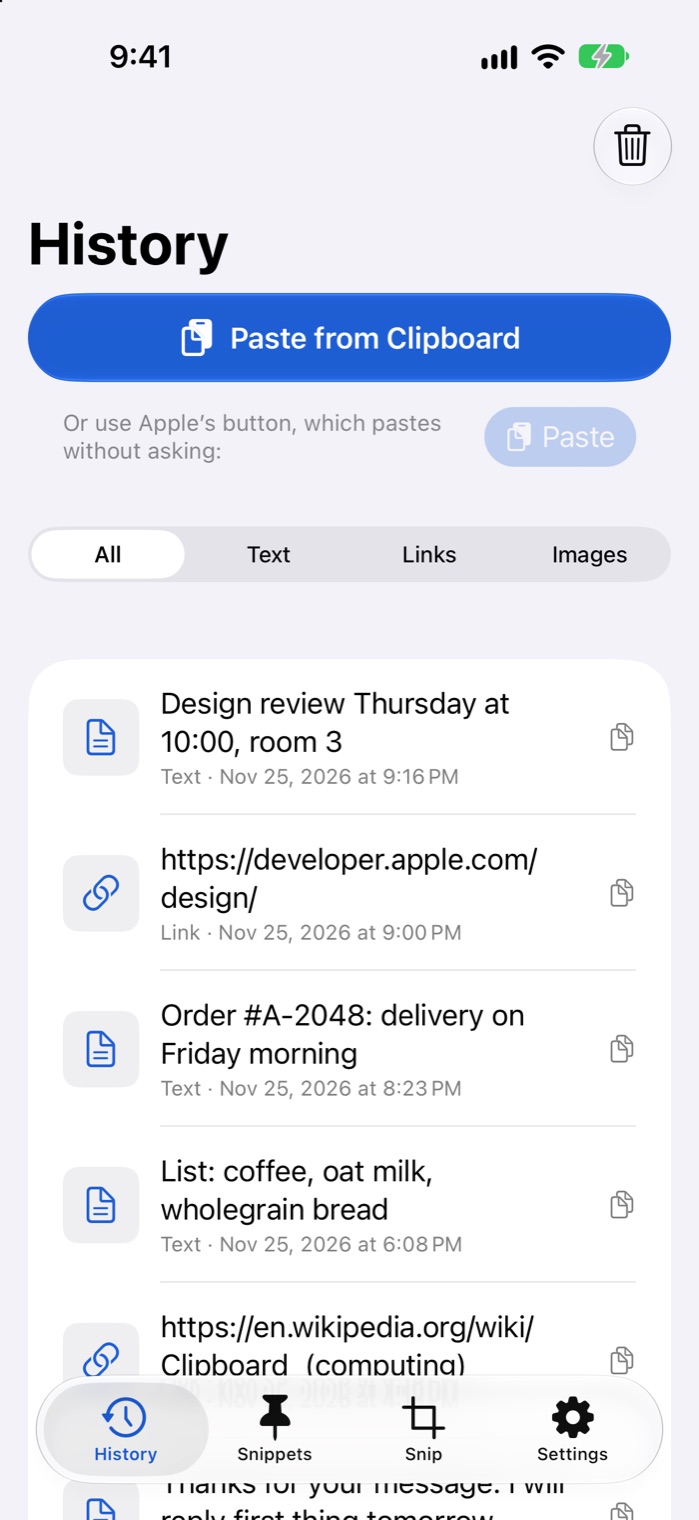
The History screen with copied texts and links.

Snippets Free & Pro

The things you type again and again.

Pin replies, addresses and links so they are always one tap away.

  • Organize snippets with tags
  • Type them with the included keyboard, which does not need Full Access
  • Copy them from widgets
  • The free version keeps 2 pinned snippets; Pro has no limit
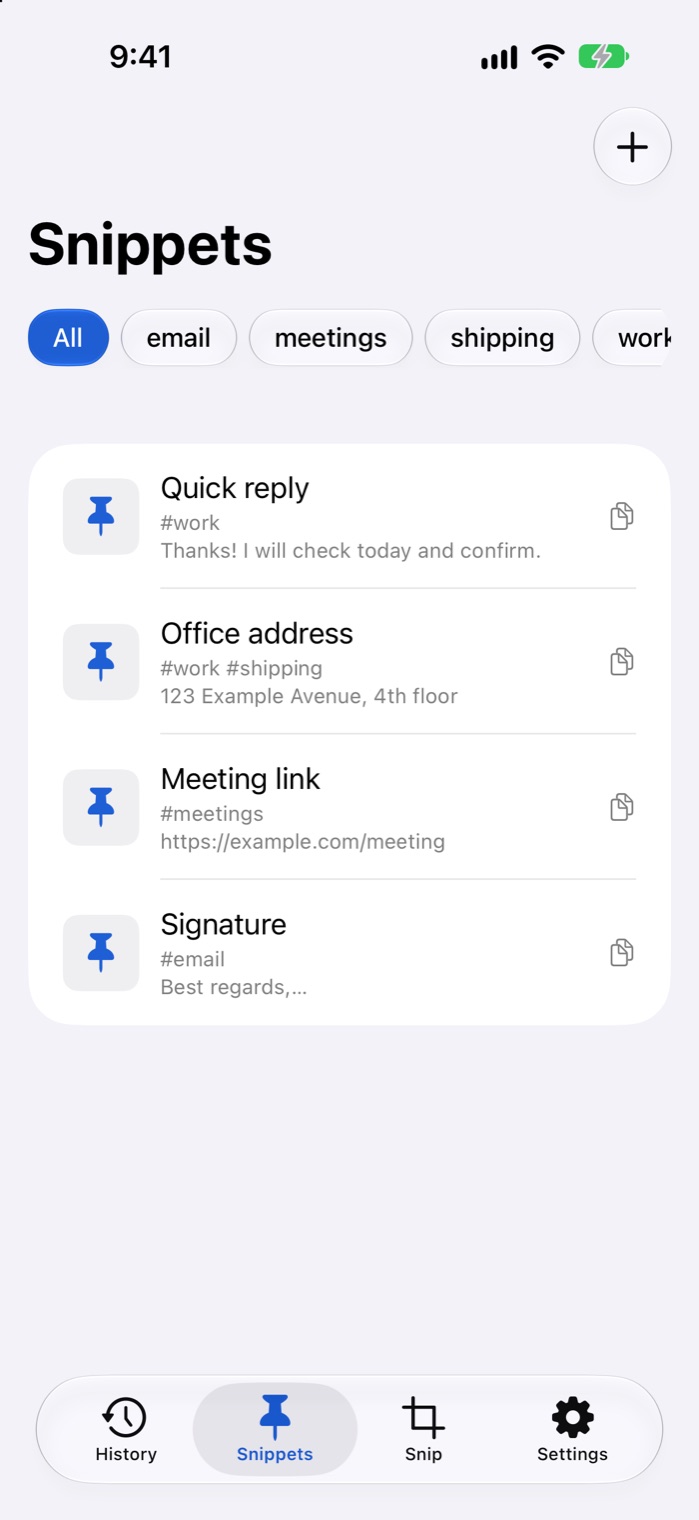
The Snippets screen with tags and pinned texts.

Snip and OCR Free & Pro

Text from any image.

Choose a photo, take a picture or paste an image, then crop the part you need.

  • Text recognition runs on your device with Apple's Vision framework
  • Keep the crop, the text or both
  • The free version includes 3 snips; Pro has no limit
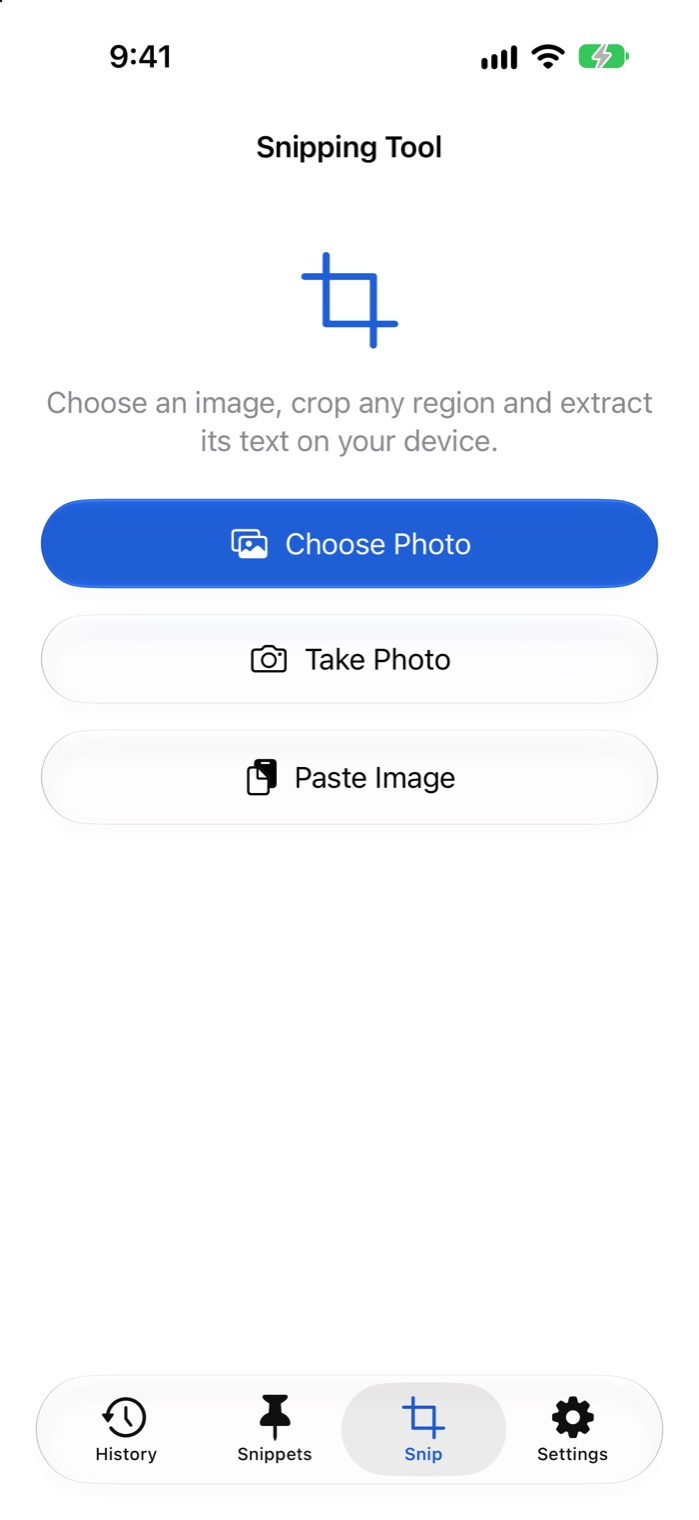
The Snipping Tool screen with options to choose, take or paste an image.

Widgets and shortcuts Free & Pro

Part of your iPhone.

Reach the app from the places you already use.

  • Home Screen and Lock Screen widgets
  • Control Center controls on iOS 18 or later
  • Shortcuts, Siri and the Action Button on supported iPhone models
  • Save from any app with the Share menu
The History screen of J Clipboard.

Privacy and backup Free & Pro

Your data is yours.

Lock the app, choose what is saved and erase it whenever you want.

  • Optional lock with Face ID, Touch ID or passcode
  • Light, dark or system appearance
  • Delete All Data erases local data and cloud connections
  • Pro: backup and restore with your own cloud storage, with optional password protection
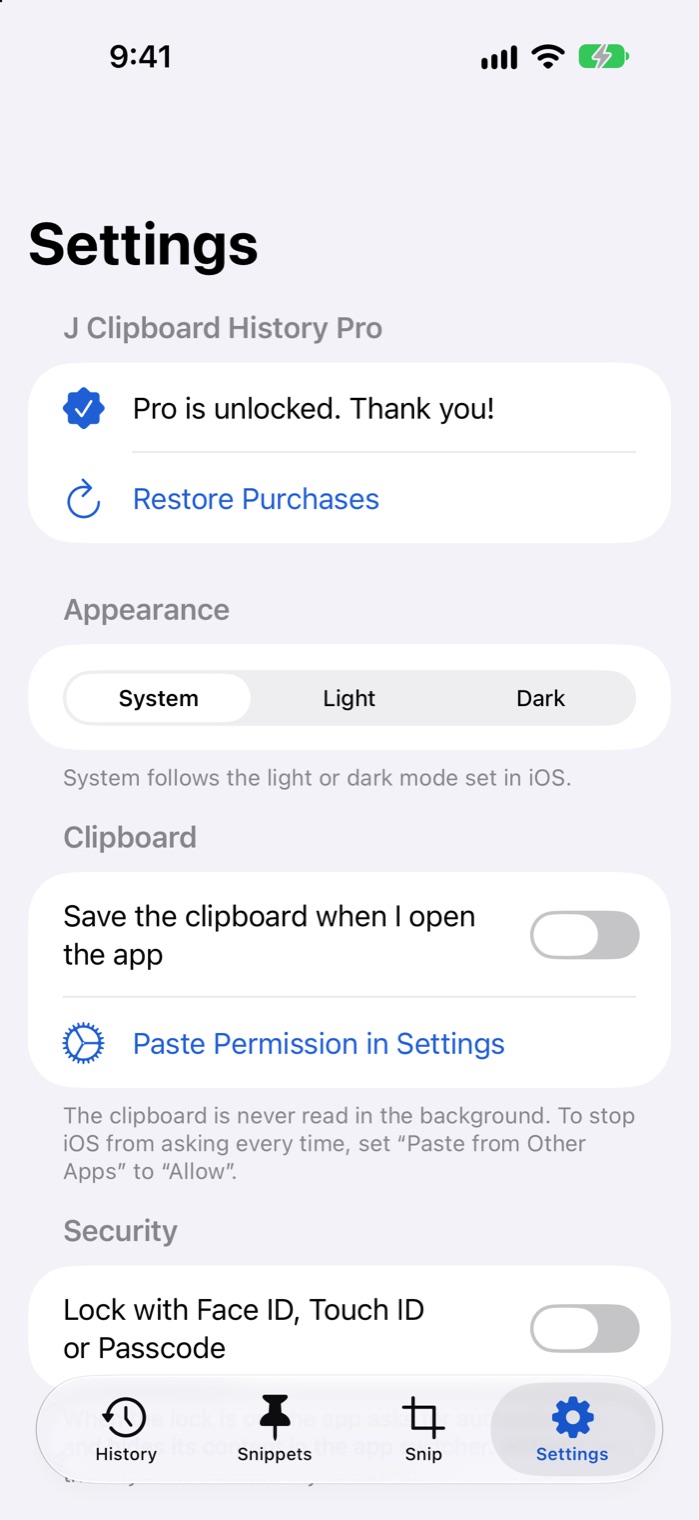
The Settings screen with appearance, clipboard and security options.

Compared

Free next to Pro

If the free version is enough for you, that is the right choice. Pro removes the limits and adds backup.

FeatureFreePro
HistoryLatest 5Up to 1,000
Pinned snippets2Unlimited
Snips with text recognition3Unlimited
Search✓✓
Widgets, Siri and Action Button✓✓
Tags, Share menu, keyboard and controls✓✓
App lock and appearance✓✓
Backup and restore—✓

Versions

Start free. Unlock Pro once.

One app for iPhone and iPad, with an optional one-time purchase.

Free

J Clipboard

Everything you need to try it in daily use.

  • Your 5 most recent items
  • 2 pinned snippets and 3 snips
  • Widgets, Share menu, keyboard and app lock

Pro · one-time purchase · US$2.99

J Clipboard Pro

Everything in the free version, without the limits.

  • History of up to 1,000 items
  • Unlimited snippets and snips
  • Backup and restore, with optional password

Planned US price. The App Store shows the final price in your currency.

Guides

How to get the most out of it.

Short steps for the things people set up first.

Stop the paste prompt

In iOS Settings, open J Clipboard and set “Paste from Other Apps” to “Allow”.

Add the keyboard

Settings > General > Keyboard > Keyboards > Add New Keyboard > J Clipboard. Pin a snippet first to see it.

Save from another app

Select something, tap Share, choose J Clipboard, then save it to history or pin it.

Use the Action Button

On supported iPhone models: Settings > Action Button > Shortcut, then pick a J Clipboard action.

Add a Control

On iOS 18 or later: open Control Center, tap Add a Control and choose J Clipboard.

Extract text from a photo

Open Snip, choose a photo, drag the corners and tap Extract Text.

FAQ

Questions and answers

Does it save everything I copy in the background?
No. iOS does not allow it and the app does not try. It reads the clipboard only while it is open: when you open or return to it, if automatic saving is on, or when you ask it to paste.
Does J Clipboard send my data anywhere?
No data reaches the developer. Content leaves your device only if you choose to back it up, and it goes directly to your own storage.
Is there a subscription?
No. Pro is a one-time purchase.
Does the keyboard record what I type?
No. It does not request Full Access, has no network features and does not record, store or send what you type.
Are passwords saved?
Content marked as concealed by the source app is never saved, and text that looks sensitive is skipped. Detection cannot be perfect, so review your history.

J Clipboard is on its way.

It is being prepared for the App Store, for iPhone and iPad.

Coming soon · App Store